Photo Tool Apps – Tutorial – How To Set Up A Scream Booth with Triggertrap
We’re delighted to be working uber closely with the wonderfully friendly and professional team at Triggertrap. In case you’re unaware, Triggertrap manufacturer apps and hardware to trigger your camera from your smartphone. The apps work with both iOS and Android platforms and the facility afforded by these are perfect for timelapses, sound triggering, still life and much more.
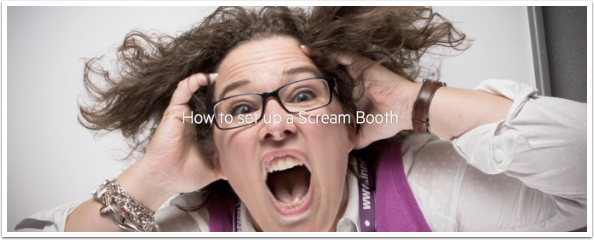
As Halloween is fast approaching we thought we would demonstrate how to use set up a Scream Booth with Triggertrap, your mobile and your DSLR, don’t miss this…
To download the Triggertrap app – follow the links below:
What You’ll Learn
1 How to set up a Scream Booth
2 How to use a sound trigger to trigger your camera
3 How to get people involved
A Scream Booth gives you an opportunity to take some really unique photos. After all, how often do you get the chance to see what you look like screaming at the top of your voice?
What You’ll Need
- Camera
- Tripod
- Lighting
- Background
- Smart Device with the Triggertrap Mobile App Installed
- Tripod Clamp
A bit of theory
A Scream Booth is a pretty unique photo booth that makes use of a sound trigger to trigger a camera when a person stood in front of the camera screams.
There are a few fundamental rules that are key for any type of photo booth.
First, you need to be sure that the camera settings, focus and position the subject will stand are going to remain the same to ensure that each shot looks very similar. If the camera is on auto exposure and auto focus, the exposure and focus is going to vary tremendously, resulting in lots of unusable shots. If you use manual focus and manual exposure, you can be sure that each shot is going to be in focus and well exposed.
Depth of field is more crucial than ever with a Scream Booth. When people scream as loud as they can, they typically lean forward or lift their head up. To make sure that the subjects stay in sharp focus despite the way they scream, you need to use a small aperture. Using a small aperture such as f/11 or f/16 will give a huge depth of field, meaning that a larger portion of the photo should remain in focus. If you leave enough room between the background and your subjects, you should still be able to blur the background slightly.
A clean background is crucial for any photo booth, but particularly a Scream Booth. The image of someone screaming is fairly powerful by itself so a messy or cluttered background will only take away from the final result.
Lighting can also be a make or break decision for this kind of photo booth, using a dramatic lighting set up such will make the resulting photos even more hard hitting!
Setting Up
Setting up the backdrop
The first step is to set up your backdrop. Remember to try and give yourself a fair bit of distance between the camera and the background. If you aim to give yourself between 12-18ft you’ll have plenty of room to get your subjects away from the background.
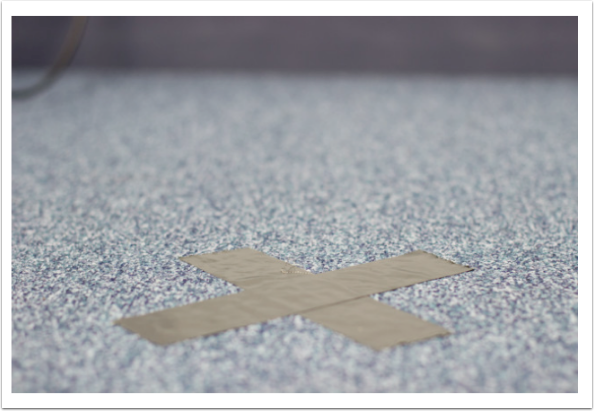
Once your background is set, use some gaffer tape to mark a spot a few feet from the background to show people where to stand. This is particularly helpful for keeping things in focus! Proper gaffer tape is always your best bet for this.
Set up the camera
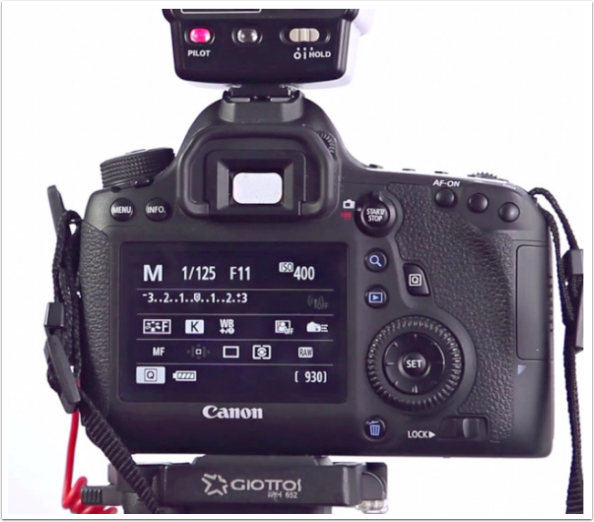
Set your camera securely on the tripod and then extend the legs so that the camera is roughly at eye level. You might need to think a little about what focal length to use on your camera, there’s a great resource here showing how focal length changes the appearance of people’s faces.
Set the camera on manual exposure with a reasonably large aperture (f/8-f/11) to ensure a good depth of field.
Next, set the camera to manual focus. Try and get someone to stand on your marked spot so you can set your focus accurately, otherwise, tilt the camera down and focus on the tape you’ve marked the spot with.
Lighting
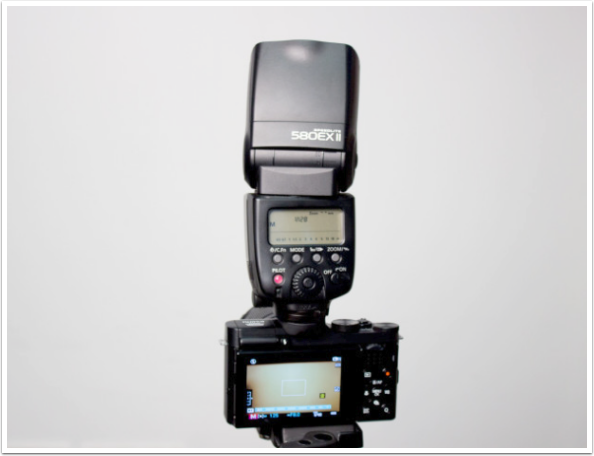
How you light the photo booth is really down to you. To keep it really simple, if you have a white ceiling, make the most of it! Put the flash on the camera and aim it up at about 45 degrees. The light from the flash will hit the ceiling and bounce back, lighting your subjects in a much nicer way than pointing the flash directly at them would achieve.
If you want to take this further and set up off-camera lighting, there are loads of options available. David Hobby at Strobist has created an amazing resource for learning off camera lighting, be sure to check out Strobist 101 here.
Set up the sound sensor
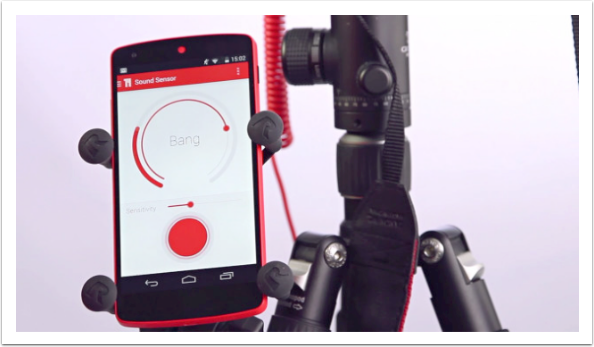
Connect Triggertrap Mobile to your camera and mount it securely to your tripod. Open the Triggertrap app and enter Sound sensor.
Adjust the threshold to be quite high (we want people to shout!) and above the ambient noise of the room. If you are using an Android device, you might also want to turn the sensitivity down. Press the red button so that your device is listening for sound, and you should be ready to go!
If you find that the microphone is still too sensitive, try taping a piece of gaffer tape over the microphone.
The setup
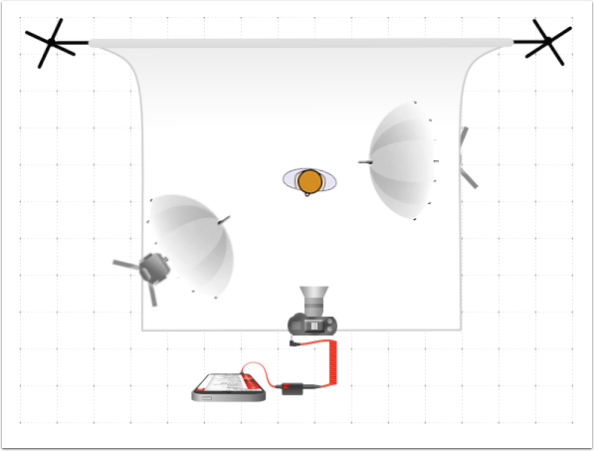
Capturing the Photos
Once the booth is set up, you’ll want to show a few people how to use it. First, tap the red button to ensure the device is listening for sound.
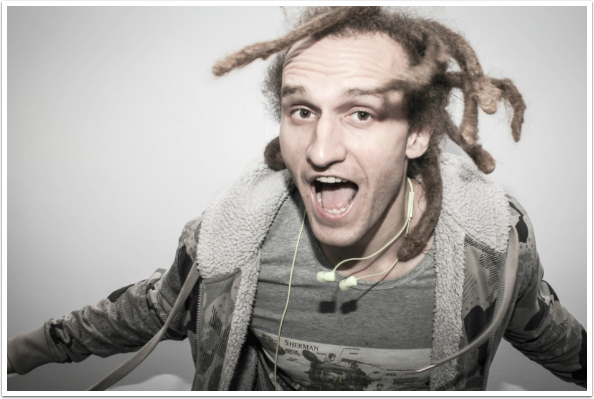
Next, you need to get people to use the Screamgrab Booth. A few instructions can be super helpful as it’s far from a normal photobooth! You just need to let people know that all they need they need to do is shout or scream as loud as they can to trigger the camera! A bit of encouragement is often all people need, though a sign or note explaining that they need to shout might not be a terrible idea! If you’re having difficulty getting people to use the photobooth, we find that going over to people and simply asking them ‘Do you want to scream at my camera’ works extraordinarily well, it gets peoples interest as it’s a completely strange thing to ask.
Video Work Through
How to set up a Scream Booth from Triggertrap on Vimeo.

Joanne Carter
Joanne Carter is a British photographer, photography journalist, editor and curator and the founder and editorial director of TheAppWhisperer.com, an independent international photography publication established in 2009.Her journalism, criticism and commentary have appeared in The Times, The Sunday Times, The Guardian, Financial Times, BBC, Vogue Italia, LensCulture, Popular Photography, Android Magazine, NikonPro, DPReview, Which Digital Camera and Which Camera. She has lectured internationally on photography and mobile art, served as a juror for international photography awards, and exhibited her own photographic work across the UK, Europe, South Korea and the United States.Alongside her editorial work, Joanne's photographic and postgraduate research explores death, grief, memory, representation and social inequality through contemporary photography, participatory practice and visual research methods, with the longer-term aim of developing this work through doctoral research.Through TheAppWhisperer, she continues to publish independent photography journalism spanning contemporary photographic practice, mobile imaging, photographic apps, computational photography and emerging imaging technologies.Joanne is available for editorial commissions, photography projects, judging, curatorial work, speaking engagements, consultancy and selected collaborations.