TUTORIALS
Technical Tutorial – ProCam Updates – ‘They’re At It Again!’
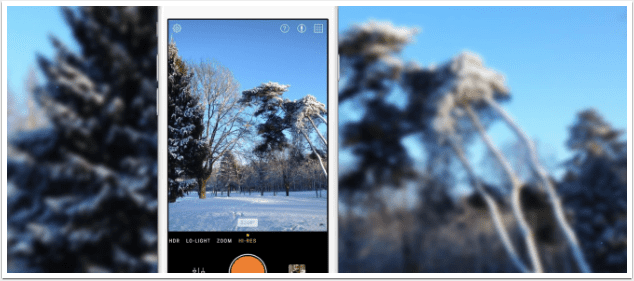
Procam is proving to be one of those great apps whose developers are constantly working to make it even better. These past couple of weeks has shown this to be true in that they’ve come out with two great updates. I thought I’d put together a quick review of what’s new in this app. We have previously published other great tutorials using this app, if you have missed those, please go here. ProCam retails for $0.99/$0.69 and you can download it here. One of the things they’ve done is to put the Photo and Video settings under separate tabs in the SET menu. This certainly makes life easier…particularly…
Our Daily App Giveaway – 645 PRO Mk II
Welcome once again to our Daily App Giveaway section of theappwhisperer. We value our readers so much and that’s why we want to share our love of apps with you. Each day we give away free apps, better make us your home page 😉 Today, we’re announcing that we’ll be giving away the newly updated 645 PRO Mk II app from Jag.gr. We just published exclusive news of this app here and we’ll be giving away the codes tomorrow. Would you like to try this app for free? Then join our ever expanding Twitter followers and Facebook fans, RETWEET THIS POST and send a reply to the bottom of this…
Moku Hanga, ShockMyPic and TangledFX iPhone Photography/Art Apps – Comparison
There’s been some chat around the mobile art community app fans about 3 somewhat similar apps. Moku Hanga, ShockMyPic and TangledFX. I’ve been a big fan and consistent user of the older Moku and SMP and now Tangled has joined in. The effects on all 3 have quite a range yet can all be used for a certain similar effect which many artists put to good use. (Here’s where I should have asked Cindy and a few other fans to use their names/work as reference) When going for a painterly look, which highlights and strengthens both shape and volume in a composition, these apps do a fine job. Here’s a…
ProCam – Updated With Multicolor In App Purchase – Now FREE
It seems that app developers are catching on that many iOS users are not impressed with in-app purchases, last week we announced PhotoToaster making all their in-app purchases free and today ProCam have made their Multicolor Pack free. This is a free update, if you have previously downloaded this app, if not, you can pick it up here. It retails for $0.99/£0.69. We have published some great ProCam tutorials to help you get this most from this app, click here to read them.
PhotoStation – Major Update And Daily App Giveaway!
Welcome once again to our Daily App Giveaway section of theappwhisperer. We value our readers so much and that’s why we want to share our love of apps with you. Each day we give away free apps, better make us your home page 😉 Today, we’re giving away newly updated PhotoStation apps each worth $0.99/$0.69. PhotoStation now includes the most advanced Layers tool – described by the developers as a ‘completely reinvented Photostation v20. We have listed the new features below in What’s New. We have also previously published a multitude of comprehensive tutorials to help you maximize your pleasure with this app. To read those, go here. Would you…
Video Tutorial – Creating And Publishing A Photography Book With Lightroom 5
We’ve discovered a fabulous video tutorial explaining how to create and publish your own photographic book using Lightroom 5. It details how to quickly add text and images and change layouts and customize templates. It’s incredibly helpful. If you haven’t picked up/upgraded Lightroom 5 yet, you can do so here.
Tabletop Tutorial: Documenting Your Day With Joby Grip Tight Gorillapod And Grip Tight Micro Stands
If you use your mobile phone to photograph food, or make cookery/crafting demos and tutorials, then at some point, you may face the dilemma of where to position the phone to get the best shots. The obvious place is directly above the table, but whilst climbing up and down, to and from your table top might be great exercise, it’s time consuming, potentially damaging to your furniture and props, and not great from a Health and Safety perspective. In this tutorial, I’m going to show you how I approached the challenge, with the help of two very useful JOBY products: the GripTight Gorilla Pod Stand and the GripTight Micro Stand.…
You May Also Like
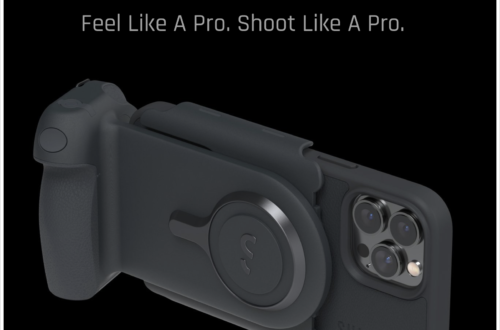
ShiftCam ProGrip & ProLens Kit Box Opening
Analog Camera – iOS App Review
On May 29, 2013, Realmac Software released their newest app, Analog Camera. Toting their new app as, “the fastest and easiest way to take, process and share photos…” as well as “…designed to be fluid and effortless to use.” Receiving this app same day as its release, I’ve had some time to take a close look at what this app can do. In many ways it does achieve what the developer set out to do while there are a couple of areas that could use some tweaking. When you first open Analog you’ll be presented with the three screens featured in the screenshot trilogy above. This is all of the…
iObsess – iPhone Photography Video Tutorial – By Dan Marcolina
We’re delighted to publish the latest iPhone photography tutorial by our Columnist Dan Marcolina to his great Column, iObsess with us. This time Dan puts aremaC app through its paces – to watch the tutorial – click on this link – http://portal.sliderocket.com/ACUSB/AWaremaC
First Look Tutorial Of Analog Camera
Realmac Software released its new app this week, Analog Camera, and I was asked to take a quick look at it. So I’ve done just that!! At first look…my first thought was that there’s not much to this app…but that’s being really unfair as the more I used it, the more I was impressed with its simplicity. This is a great app to grab some snaps…apply one of the eight filters…and share it with your peeps. Analog Camera’s interface is designed to help you get into the app quickly, take your shot, use a filter…and share! It also allows the same quick access to your camera roll to do the…