• ONLINE GALLERY and PRINT SALES
  • About Us
  • Vogue
    • LensCulture Articles
  • News
  • COLUMNS
    • COLUMNISTS
    • Draw the Line – Mobile Art as an Expression
    • StreetWise
    • Streets Ahead
    • Portrait of an Artist
    • APPart
    • Appstrax
    • Mobile Movies
    • Artistic Anarchy – Mobile Collusions
    • Ask Misho
    • Fly On The Wall
    • iFoto Fairchild
    • iObsess
    • Koci
    • iSights
    • Mobile Macro Photography
    • Photo Education & Accessibility
    • ItalianBrother
    • Mobile Photo Essays
    • Kuster
    • PictureBook
    • Portrayal
    • The Guetta Fringe
    • parallel II perspectives
    • The New Renaissance
    • Is There An App For That?
    • Vision & Voice
    • Tiny Shutter
    • The Picture Project
    • The App Nerds Workshop
    • StreetVIEW
    • Spare Moments
    • Shooting Star
  • INTERVIEWS
    • IntImate Interview
    • Reviews
    • High-Brow Interviews
    • TrueView Interviews
    • App Developer Interviews
    • A Day In The Life Of …
    • ‘Impossible’ Project Interviews
    • A Picture’s Worth…
    • Olloclip Interviews
    • Brought To Light
    • Extension Of The I
    • Artists’ Corner
    • Building Mobile Bridges with Instagram
    • Photo App Lounge
    • Spotlight
    • Photographs and text
    • Spotlight
    • Alternative Mobile Photography Processing
    • Pro Columns
  • TUTORIALS
    • Creative Tutorials
      • Technical Tutorials
      • Video Tutorials
      • Hardware Tutorials
      • Viral SmartPhone Photography & Video Techniques
  • FEATURES
    • Tip Of The Day
    • Tickle Your Fancy
    • Saturday Poetry
    • Giveaways
    • Video Reviews
    • Drone
    • Apps
      • Amazon Appstore
      • Samsung Apps
      • Android Apps
      • BlackBerry Apps
      • 645 PRO
      • PhotoToaster
      • Windows Apps
      • Analog Camera
      • Color Lake
      • Etchings
      • Photo & Video
      • Image Blender
      • PhotoStation
      • MyPadLive
      • ProCamera
      • ProCam
      • Wood Camera
      • Photo Tool Apps
    • Apple Watch
    • iBooks Photo Books
    • Hardware
    • Exhibitions
    • Creative Grants and Residencies
    • Photographic TED Talks
    • Mob-Entrepreneurs
    • Photography & Art Magazines
      • Photography Books
    • Indiegogo & Kickstarter Campaigns
    • Instagram Mobile Photographers To Follow Now
    • Mobile Photography Courses
    • Podcasts
    • SECTIONS
    • RUMORS
    • Pic of the Day
    • Whisperings…
    • Mini Mobile Portfolio Reviews (MMPR)
  • App Art School
  • SHOWCASES
  • Contact Us
    • Twitter
    • Instagram
    • YouTube
  • Support Us
  • Events
  • Venues
  • ONLINE GALLERY and PRINT SALES
  • About Us
  • Vogue
    • LensCulture Articles
  • News
  • COLUMNS
    • COLUMNISTS
    • Draw the Line – Mobile Art as an Expression
    • StreetWise
    • Streets Ahead
    • Portrait of an Artist
    • APPart
    • Appstrax
    • Mobile Movies
    • Artistic Anarchy – Mobile Collusions
    • Ask Misho
    • Fly On The Wall
    • iFoto Fairchild
    • iObsess
    • Koci
    • iSights
    • Mobile Macro Photography
    • Photo Education & Accessibility
    • ItalianBrother
    • Mobile Photo Essays
    • Kuster
    • PictureBook
    • Portrayal
    • The Guetta Fringe
    • parallel II perspectives
    • The New Renaissance
    • Is There An App For That?
    • Vision & Voice
    • Tiny Shutter
    • The Picture Project
    • The App Nerds Workshop
    • StreetVIEW
    • Spare Moments
    • Shooting Star
  • INTERVIEWS
    • IntImate Interview
    • Reviews
    • High-Brow Interviews
    • TrueView Interviews
    • App Developer Interviews
    • A Day In The Life Of …
    • ‘Impossible’ Project Interviews
    • A Picture’s Worth…
    • Olloclip Interviews
    • Brought To Light
    • Extension Of The I
    • Artists’ Corner
    • Building Mobile Bridges with Instagram
    • Photo App Lounge
    • Spotlight
    • Photographs and text
    • Spotlight
    • Alternative Mobile Photography Processing
    • Pro Columns
  • TUTORIALS
    • Creative Tutorials
      • Technical Tutorials
      • Video Tutorials
      • Hardware Tutorials
      • Viral SmartPhone Photography & Video Techniques
  • FEATURES
    • Tip Of The Day
    • Tickle Your Fancy
    • Saturday Poetry
    • Giveaways
    • Video Reviews
    • Drone
    • Apps
      • Amazon Appstore
      • Samsung Apps
      • Android Apps
      • BlackBerry Apps
      • 645 PRO
      • PhotoToaster
      • Windows Apps
      • Analog Camera
      • Color Lake
      • Etchings
      • Photo & Video
      • Image Blender
      • PhotoStation
      • MyPadLive
      • ProCamera
      • ProCam
      • Wood Camera
      • Photo Tool Apps
    • Apple Watch
    • iBooks Photo Books
    • Hardware
    • Exhibitions
    • Creative Grants and Residencies
    • Photographic TED Talks
    • Mob-Entrepreneurs
    • Photography & Art Magazines
      • Photography Books
    • Indiegogo & Kickstarter Campaigns
    • Instagram Mobile Photographers To Follow Now
    • Mobile Photography Courses
    • Podcasts
    • SECTIONS
    • RUMORS
    • Pic of the Day
    • Whisperings…
    • Mini Mobile Portfolio Reviews (MMPR)
  • App Art School
  • SHOWCASES
  • Contact Us
    • Twitter
    • Instagram
    • YouTube
  • Support Us
  • Events
  • Venues
    • lumafusion
      App Art School,  APPart,  Creative Tutorials,  News,  Technical Tutorials

      AppArt School – How to Get Started with the Lumafusion App

      2023-04-25 / Comments Off on AppArt School – How to Get Started with the Lumafusion App

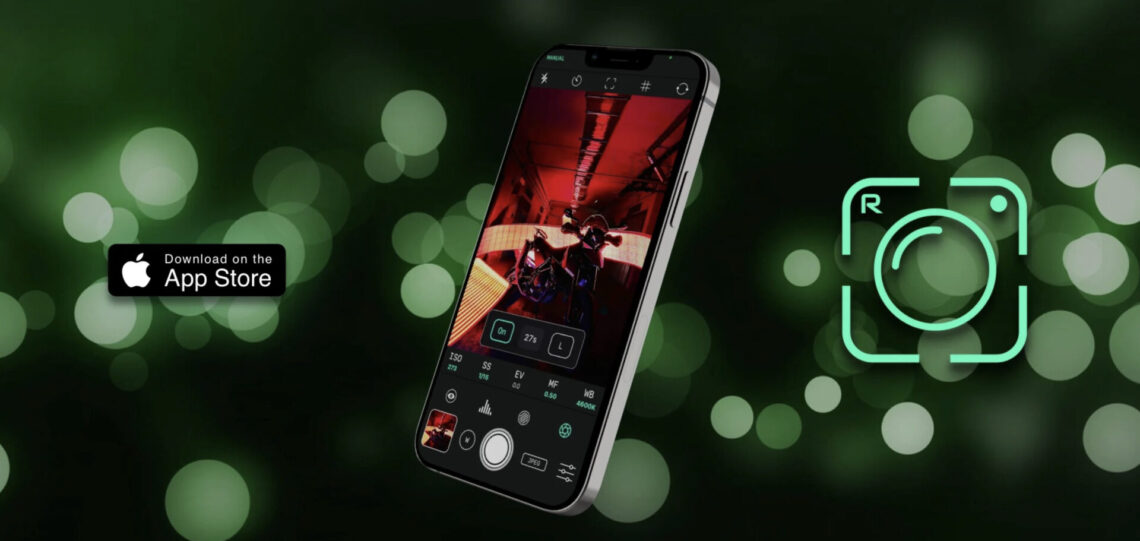
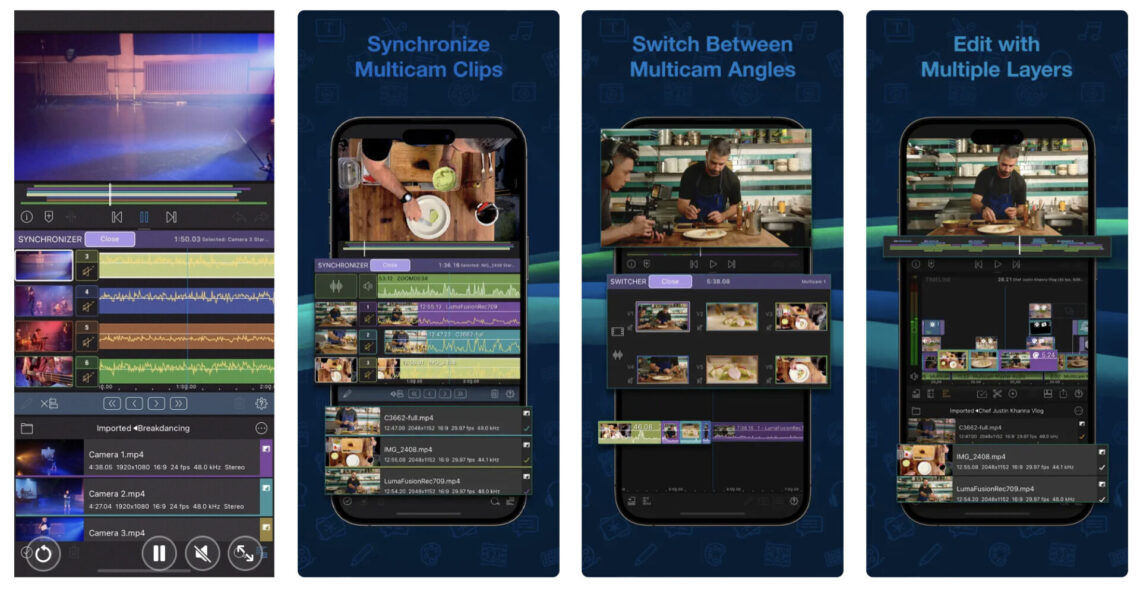
      AppArt School – How to Get Started with the Lumafusion App LumaFusion is a professional video editing app for iOS devices, and getting started with it is relatively straightforward. Here are the steps you can follow: Install the app: The first step is to download and install the LumaFusion app from the App Store on your iOS device. Open the app: Once you have installed the app, open it from your device’s home screen. Create a new project: To create a new project, tap on the ‘Create New Project’ button on the main screen. Choose a resolution and frame rate: You will be prompted to select the project’s resolution and…

      read more
      Joanne Carter

      You May Also Like

      mobile art

      App Art School – Hand Lettering in Affinity Designer for iPad with Tobias Hall

      2020-09-02
      appart

      AppArt School – How to Edit Live Photos on iPhone

      2023-08-07
      LumaFusion

      App Art School – LumaFusion 2.3 | What’s New? – MobileFilm

      2020-08-07
    • Reeflex
      App Art School

      AppArt School – How to use Reeflex Pro Camera 2 App

      2023-04-24 / Comments Off on AppArt School – How to use Reeflex Pro Camera 2 App

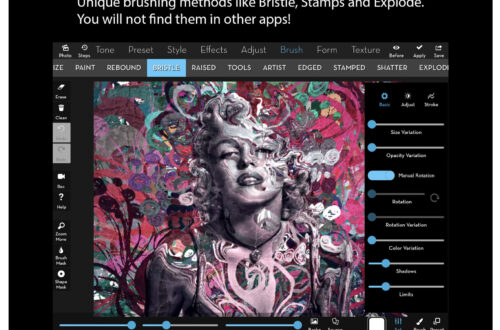
      AppArt School – How to use Reeflex Pro Camera 2 App Reeflex Pro Camera 2 is a powerful mobile camera app that provides professional-level features for photography enthusiasts. Here are some basic steps to get started with the app: Install the app: Reeflex Pro Camera 2 is available on the iOS platform. You can download and install it from the App Store. Choose camera mode: Reeflex Pro Camera 2 offers several camera modes – Manual, Semi-Auto, and Auto. Select the mode that best suits your needs. Adjust camera settings: In Manual mode, you can adjust camera settings such as ISO, shutter speed, exposure compensation, and white balance. In Semi-Auto mode,…

      read more
      Joanne Carter

      You May Also Like

      LumaFusion

      Import Media from Off-Device… Now you REALLY tell stories

      2025-12-02
      mobile procreate

      Procreate – How to use Chromatic Aberration in Procreate

      2025-08-14
      LumaFusion

      App Art School – LumaFusion 2.3 | What’s New? – MobileFilm

      2020-08-07
    • AppArt
      App Art School,  News

      AppArt School – How to Use the Apple Watch for Mobile Photography

      2023-04-24 / Comments Off on AppArt School – How to Use the Apple Watch for Mobile Photography

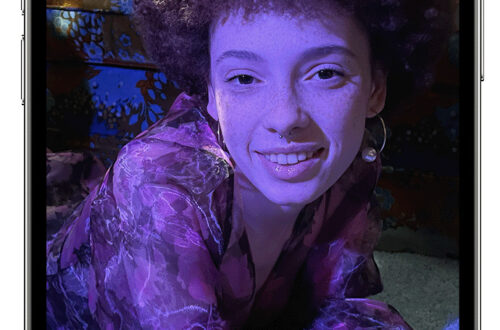
      AppArt School – How to Use the Apple Watch for Mobile Photography The Apple Watch is an ingenious product and it’s not just great for fitness but did you know you can also use it to support your mobile photography. We’ll show you how: The Apple Watch can be used as a remote control for your iPhone camera, allowing you to take photos and videos from a distance. Here are the steps to use your Apple Watch for photography: Make sure your iPhone is unlocked and the Camera app is open. Launch the Camera app on your Apple Watch. The Apple Watch camera app will show a live preview of…

      read more
      Joanne Carter

      You May Also Like

      AppArt

      AppArt School – Top 10 iOS Apps for Advanced Mobile Photographers

      2025-05-02
      snapseed

      AppArt School – How to Get Started with the Snapseed App

      2023-04-26
      Procreate

      How to enable and customise QuickMenu in Procreate

      2025-10-22
    • art
      App Art School,  News

      AppArt School – How to Get Started with the Hipstamatic App

      2023-04-22 / Comments Off on AppArt School – How to Get Started with the Hipstamatic App

      One of the most art/photography popular apps, is Hispstamatic and today in our column, AppArt school, we list the steps to get started with it: Hipstamatic is a camera app that allows you to apply various vintage and retro filters to your photos. Here’s how to use Hipstamatic: Download and install the app: You can find Hipstamatic in the App Store or Google Play Store. After installing the app, open it on your phone. Choose your lens, film, and flash: When you first open the app, you’ll see the viewfinder. To apply a filter to your photo, you need to select a combination of lens, film, and flash. Swipe left or…

      read more
      Joanne Carter

      You May Also Like

      snapseed

      AppArt School – How to Get Started with the Snapseed App

      2023-04-26
      art

      App Art School – Using Atmospheric Perspective for concept paintings in Affinity Photo for iPad with Paolo Limoncelli

      2020-08-27
      affinity

      Complete Beginners’ Guide To Affinity 2025

      2025-11-05
    • App Art School,  News

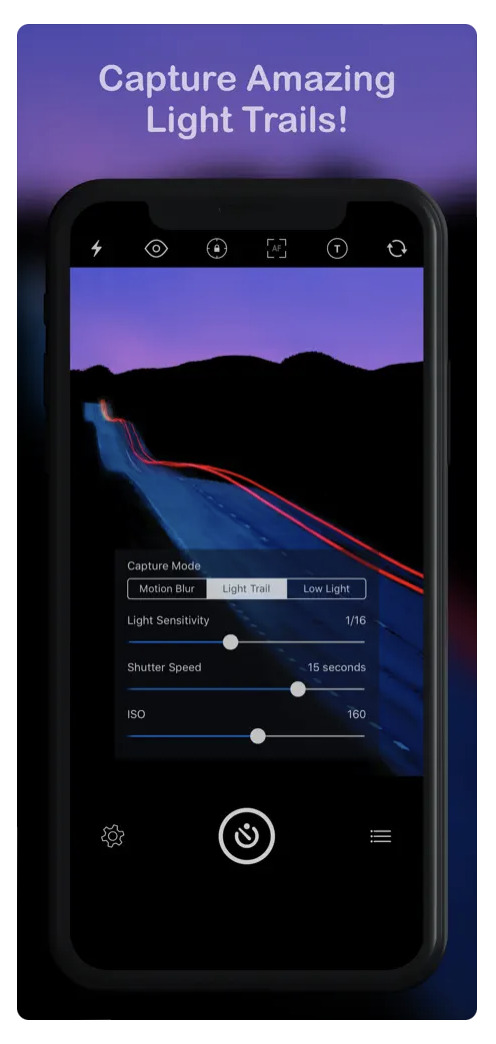
      AppArt School – How to use Slow Shutter Cam App

      2023-04-21 / Comments Off on AppArt School – How to use Slow Shutter Cam App

      One of the most popular apps, is Slow Shutter Cam and today in our column, AppArt school, we list the steps to get started with it: Slow Shutter Cam is a photography app that allows you to capture long-exposure photos on your mobile device. Download and install the Slow Shutter Cam app from the App Store or Google Play Store. Once you have installed the app, open it and click on the camera icon to start taking pictures. Before taking a photo, you can choose the mode by swiping left or right. The app offers three modes: Motion Blur, Light Trail, and Low Light. Each mode is designed to capture…

      read more
      Joanne Carter

      You May Also Like

      Lightroom

      How I Did It!™; The Creative Power of Lightroom Mobile; Edit with Intention. Create with Vision. All from Your Mobile Device! – Thursday, August 14, 6:30 PM EST

      2025-08-07
      appart

      AppArt School – How to Edit Live Photos on iPhone

      2023-08-07
      procreate

      How to control Layer Visibility in Procreate

      2025-09-22
    • appart
      App Art School,  News

      AppArt School – Remove fence lines with TouchRetouch 5.0, like magic

      2022-01-14 / Comments Off on AppArt School – Remove fence lines with TouchRetouch 5.0, like magic

      The updated TouchRetouch app’s brand-new mesh detection and removal algorithm is capable of automatically finding, selecting, and eliminating fences from images in almost no time. No need to routinely mark each line in a mesh. Pure magic! Take a look at the video below. Download links TouchRetouch for iPhone TouchRetouch for iPad TouchRetouch for Mac TouchRetouch for Android

      read more
      Joanne Carter

      You May Also Like

      procreate

      Drawing Manga in Procreate | Acky Bright | Human Made

      2025-07-02
      apps icolorama

      AppArt School – How to Get Creative with the iColorama Painting App

      2023-05-11
      AppArt School

      AppArt School – How to Use Night mode on your iPhone

      2023-05-19
    • long exposure photography
      App Art School,  News

      AppArt School – Long Exposure Photography

      2022-01-10 / Comments Off on AppArt School – Long Exposure Photography

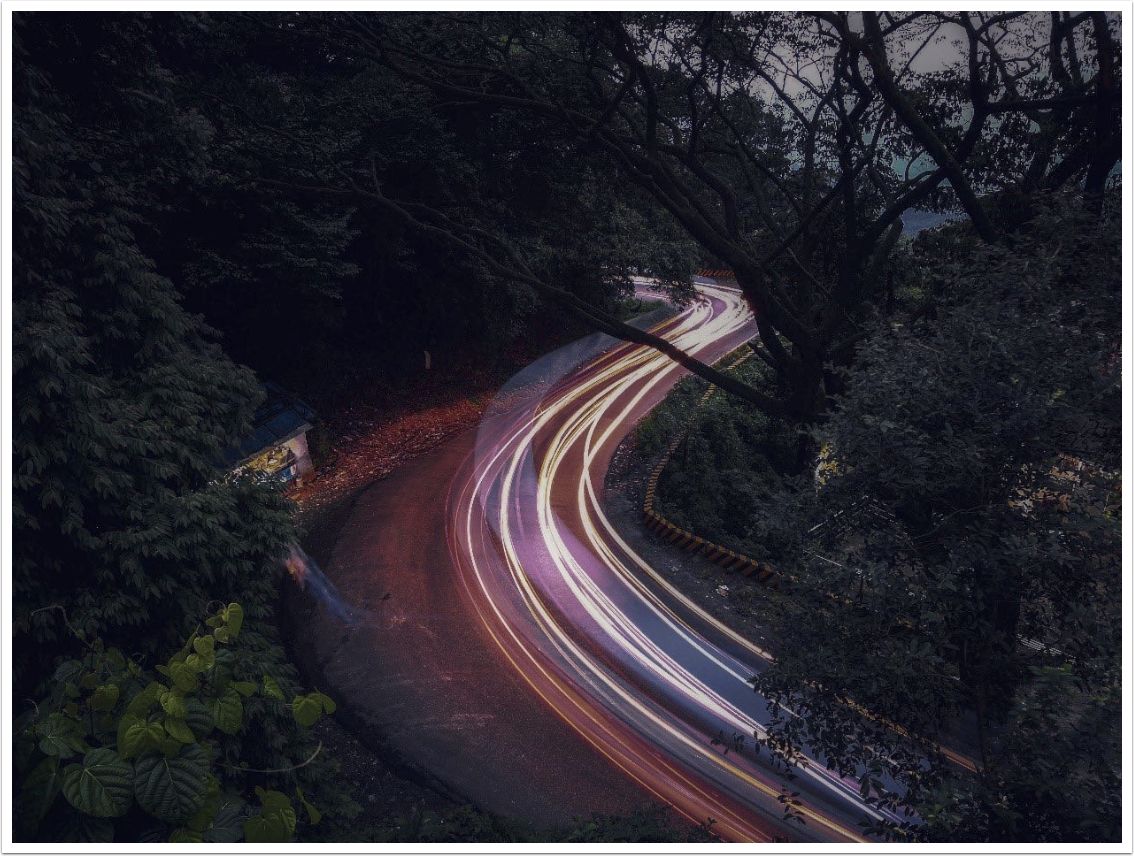
      I take a lot of photos. I love to go for short trips to scenic places and take landscape and nature shots. Initially, my main shooter was mirrorless Sony A6000 — small and compact, easy to carry around. However, lately, most of my Landscape and Nature photos are taken with my Mobile phone — HONOR 10 / HONOR Play / HONOR 9X. Most HONOR flagship phones let you to shoot in DNG RAW in Pro mode. As a Landscape Photographer, it’s a great convenience to have the default camera app supporting Pro mode and DNG raw shooting. You don’t have to install a third party app to shoot dng raw…

      read more
      Arthur Brown

      You May Also Like

      affinity

      Complete Beginners’ Guide To Affinity 2025

      2025-11-05
      appart

      AppArt School – How to Edit Live Photos on iPhone

      2023-08-07
      snapseed

      AppArt School – How to Get Started with the Snapseed App

      2025-05-03
    • procreate
      App Art School

      AppArt School – Procreate – Basics for Beginners

      2021-04-07 / Comments Off on AppArt School – Procreate – Basics for Beginners

      This is an introduction to a tried, tested, much loved awarded app, Procreate, one that will enable many novices to jump in and start enjoying this app. At only ten minutes long, this video covers the basics and gives a really great overview to help get you started. This is part of our App Art School series of tutorials, to view the others, please go here. Procreate itself is available for $9.99 in the App Store and there are no subscriptions, it is money, very well spent. Please help TheAppWhisperer has always had a dual mission: to promote the most talented mobile artists of the day and to support ambitious, inquisitive…

      read more
      Joanne Carter

      You May Also Like

      art

      AppArt School – How to Get Started with the Hipstamatic App

      2023-04-22
      procreate

      Procreate – Adding Depth to Art with Patterns | Nick Liefhebber | Human Made

      2025-06-30
      RAW

      How to develop RAW files non-destructively with Affinity Photo 2

      2023-02-06
    • News

      Apple Back To School Program Starts Now

      2012-06-11 / Comments Off on Apple Back To School Program Starts Now

      Well, you might be wondering why it has started now when the kids haven’t broken up yet but Apple want you to be prepared. So if you buy a Mac for university between June 11 and September 21 you will receive a $100/£70 Student Gift Card to use on apps, books, music and movies. Or buy the new iPad and get a $50/£35 Student Gift Card. And if you choose a Mac, save even more with Apple Education Pricing. Click here to purchase or find out more from the Apple Store US Prices UK Prices

      read more
      Joanne Carter

      You May Also Like

      How I Did It!

      How I Did It!™ Who Moved My CHEESE?! SnapSeed Version 3.0 – SnapSeed 3.0 August 8, 6:30 PM EST

      2025-08-07
      mobile photography

      Mobile Photography/Art Pic of the Day (1,651) via Instagram

      2022-01-19

      Mobile Photography/Art Pic of the Day (710) via Instagram

      2017-12-21
    • News

      Apple’s ‘Back To School With $100 Promotion’ Starts Tomorrow

      2011-06-15 / 1 Comment

      Apple always likes to keep us on our toes and despite the fact that the kids haven’t even broken up for the holidays yet, they are set to launch their Back To School promotion tomorrow. Just don’t expect an iPod Touch, this year it looks like the incentive to purchase a Mac will be a $100 iTunes card instead. This can be redemed for music in the iTunes store, books or of course our favorite, apps. Is this incentive going to be big enough? Time will tell as this promotion will run until September 5, 2011. It’s still worth less than an iPod touch but reflects Apple’s commitment to the…
      read more
      Joanne Carter

      You May Also Like

      mobile photography

      Mobile Photography/Art Pic of the Day (1,346) via Instagram

      2020-10-08
      grants

      What Grants are available for Mobile Art?

      2023-04-25

      Pink Lady Food Photographer of the Year Award – Open To Entries

      2018-07-17
     Older Posts
    Newer Posts 

    Visit our online Print Gallery

      ©TheAppWhisperer 2025
      • ONLINE GALLERY and PRINT SALES
      • About Us
      • Vogue
      • News
      • COLUMNS
      • INTERVIEWS
      • TUTORIALS
      • FEATURES
      • App Art School
      • SHOWCASES
      • Contact Us
      • Support Us
      • Events
      • Venues
      Ashe Theme by WP Royal.