• ONLINE GALLERY and PRINT SALES
  • About Us
  • Vogue
    • LensCulture Articles
  • News
  • COLUMNS
    • COLUMNISTS
    • Draw the Line – Mobile Art as an Expression
    • StreetWise
    • Streets Ahead
    • Portrait of an Artist
    • APPart
    • Appstrax
    • Mobile Movies
    • Artistic Anarchy – Mobile Collusions
    • Ask Misho
    • Fly On The Wall
    • iFoto Fairchild
    • iObsess
    • Koci
    • iSights
    • Mobile Macro Photography
    • Photo Education & Accessibility
    • ItalianBrother
    • Mobile Photo Essays
    • Kuster
    • PictureBook
    • Portrayal
    • The Guetta Fringe
    • parallel II perspectives
    • The New Renaissance
    • Is There An App For That?
    • Vision & Voice
    • Tiny Shutter
    • The Picture Project
    • The App Nerds Workshop
    • StreetVIEW
    • Spare Moments
    • Shooting Star
  • INTERVIEWS
    • IntImate Interview
    • Reviews
    • High-Brow Interviews
    • TrueView Interviews
    • App Developer Interviews
    • A Day In The Life Of …
    • ‘Impossible’ Project Interviews
    • A Picture’s Worth…
    • Olloclip Interviews
    • Brought To Light
    • Extension Of The I
    • Artists’ Corner
    • Building Mobile Bridges with Instagram
    • Photo App Lounge
    • Spotlight
    • Photographs and text
    • Spotlight
    • Alternative Mobile Photography Processing
    • Pro Columns
  • TUTORIALS
    • Creative Tutorials
      • Technical Tutorials
      • Video Tutorials
      • Hardware Tutorials
      • Viral SmartPhone Photography & Video Techniques
  • FEATURES
    • Tip Of The Day
    • Tickle Your Fancy
    • Saturday Poetry
    • Giveaways
    • Video Reviews
    • Drone
    • Apps
      • Amazon Appstore
      • Samsung Apps
      • Android Apps
      • BlackBerry Apps
      • 645 PRO
      • PhotoToaster
      • Windows Apps
      • Analog Camera
      • Color Lake
      • Etchings
      • Photo & Video
      • Image Blender
      • PhotoStation
      • MyPadLive
      • ProCamera
      • ProCam
      • Wood Camera
      • Photo Tool Apps
    • Apple Watch
    • iBooks Photo Books
    • Hardware
    • Exhibitions
    • Creative Grants and Residencies
    • Photographic TED Talks
    • Mob-Entrepreneurs
    • Photography & Art Magazines
      • Photography Books
    • Indiegogo & Kickstarter Campaigns
    • Instagram Mobile Photographers To Follow Now
    • Mobile Photography Courses
    • Podcasts
    • SECTIONS
    • RUMORS
    • Pic of the Day
    • Whisperings…
    • Mini Mobile Portfolio Reviews (MMPR)
  • App Art School
  • SHOWCASES
  • Contact Us
    • Twitter
    • Instagram
    • YouTube
  • Support Us
  • Events
  • Venues
  • ONLINE GALLERY and PRINT SALES
  • About Us
  • Vogue
    • LensCulture Articles
  • News
  • COLUMNS
    • COLUMNISTS
    • Draw the Line – Mobile Art as an Expression
    • StreetWise
    • Streets Ahead
    • Portrait of an Artist
    • APPart
    • Appstrax
    • Mobile Movies
    • Artistic Anarchy – Mobile Collusions
    • Ask Misho
    • Fly On The Wall
    • iFoto Fairchild
    • iObsess
    • Koci
    • iSights
    • Mobile Macro Photography
    • Photo Education & Accessibility
    • ItalianBrother
    • Mobile Photo Essays
    • Kuster
    • PictureBook
    • Portrayal
    • The Guetta Fringe
    • parallel II perspectives
    • The New Renaissance
    • Is There An App For That?
    • Vision & Voice
    • Tiny Shutter
    • The Picture Project
    • The App Nerds Workshop
    • StreetVIEW
    • Spare Moments
    • Shooting Star
  • INTERVIEWS
    • IntImate Interview
    • Reviews
    • High-Brow Interviews
    • TrueView Interviews
    • App Developer Interviews
    • A Day In The Life Of …
    • ‘Impossible’ Project Interviews
    • A Picture’s Worth…
    • Olloclip Interviews
    • Brought To Light
    • Extension Of The I
    • Artists’ Corner
    • Building Mobile Bridges with Instagram
    • Photo App Lounge
    • Spotlight
    • Photographs and text
    • Spotlight
    • Alternative Mobile Photography Processing
    • Pro Columns
  • TUTORIALS
    • Creative Tutorials
      • Technical Tutorials
      • Video Tutorials
      • Hardware Tutorials
      • Viral SmartPhone Photography & Video Techniques
  • FEATURES
    • Tip Of The Day
    • Tickle Your Fancy
    • Saturday Poetry
    • Giveaways
    • Video Reviews
    • Drone
    • Apps
      • Amazon Appstore
      • Samsung Apps
      • Android Apps
      • BlackBerry Apps
      • 645 PRO
      • PhotoToaster
      • Windows Apps
      • Analog Camera
      • Color Lake
      • Etchings
      • Photo & Video
      • Image Blender
      • PhotoStation
      • MyPadLive
      • ProCamera
      • ProCam
      • Wood Camera
      • Photo Tool Apps
    • Apple Watch
    • iBooks Photo Books
    • Hardware
    • Exhibitions
    • Creative Grants and Residencies
    • Photographic TED Talks
    • Mob-Entrepreneurs
    • Photography & Art Magazines
      • Photography Books
    • Indiegogo & Kickstarter Campaigns
    • Instagram Mobile Photographers To Follow Now
    • Mobile Photography Courses
    • Podcasts
    • SECTIONS
    • RUMORS
    • Pic of the Day
    • Whisperings…
    • Mini Mobile Portfolio Reviews (MMPR)
  • App Art School
  • SHOWCASES
  • Contact Us
    • Twitter
    • Instagram
    • YouTube
  • Support Us
  • Events
  • Venues
    • AppArt
      App Art School,  APPart,  Creative Tutorials,  News,  Technical Tutorials

      AppArt School – How to Search for Photos on iPhone

      2023-06-15 / Comments Off on AppArt School – How to Search for Photos on iPhone

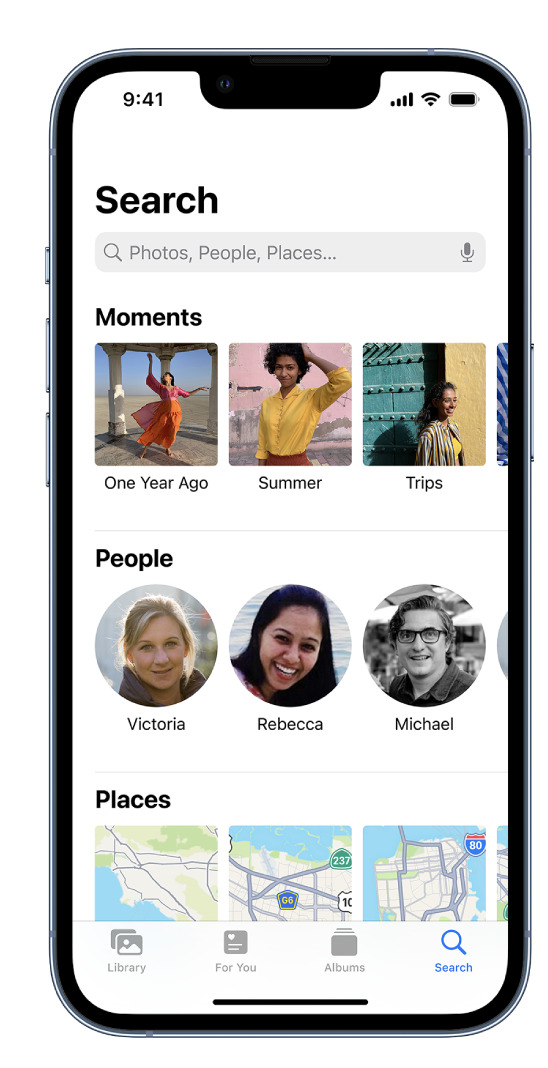
      AppArt School – How to Search for Photos on iPhone When you tap Search in the Photos app , you see suggestions for moments, people, places, and categories to help you find what you’re looking for, or rediscover an event you forgot about. You can also type a keyword into the search field—for example, a person’s name, date, or location—to help you find a specific photo. Tap Search, then tap the search field at the top of the screen to search by any of the following: Date (month or year) Place (city or state) Business names (museums, for example) Category (beach or sunset, for example) Events (sports games or concerts,…

      read more
      Joanne Carter

      You May Also Like

      afterlight

      AppArt School – How to use the Afterlight app to improve your Street Photography

      2023-05-05
      mobile procreate

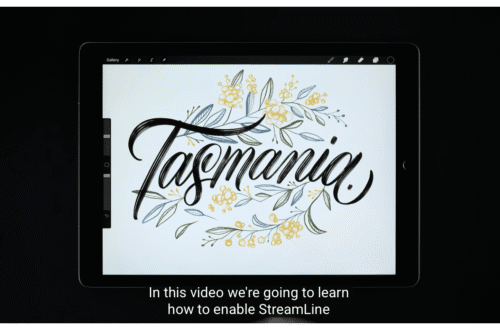
      Procreate – Brush Studio: Properties

      2025-08-18
      tutorial

      Mobile Photography & Art Tutorial – Using AI Apps in Collage Work

      2022-01-04
    • AppArt
      App Art School,  APPart,  Creative Tutorials,  News,  Technical Tutorials

      AppArt School – How to Edit Portrait Lighting Effects in Portrait mode photos

      2023-06-14 / Comments Off on AppArt School – How to Edit Portrait Lighting Effects in Portrait mode photos

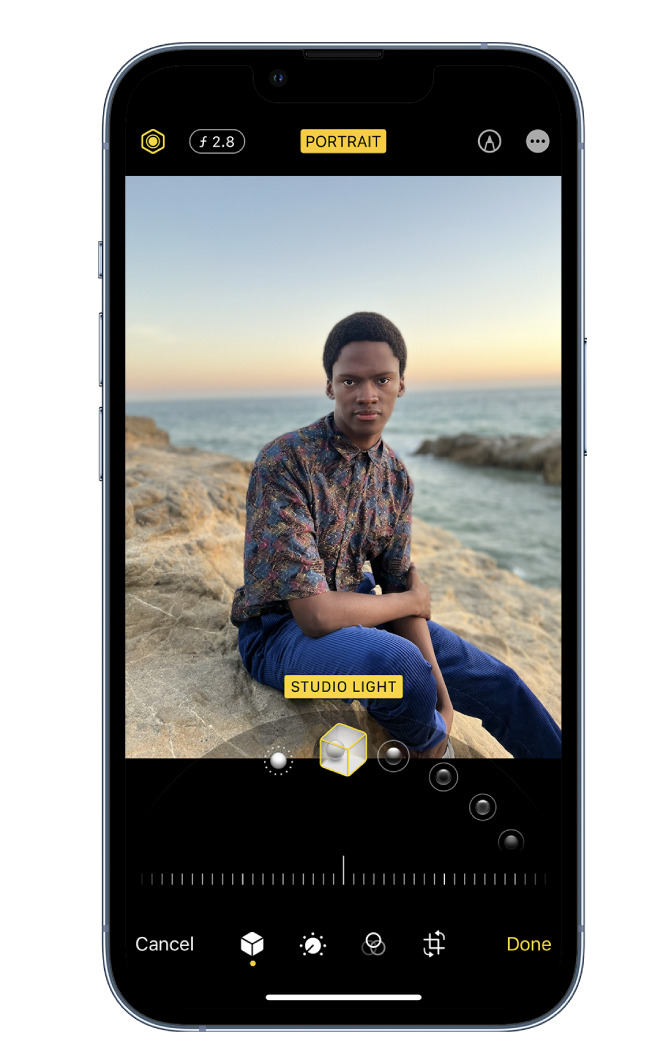
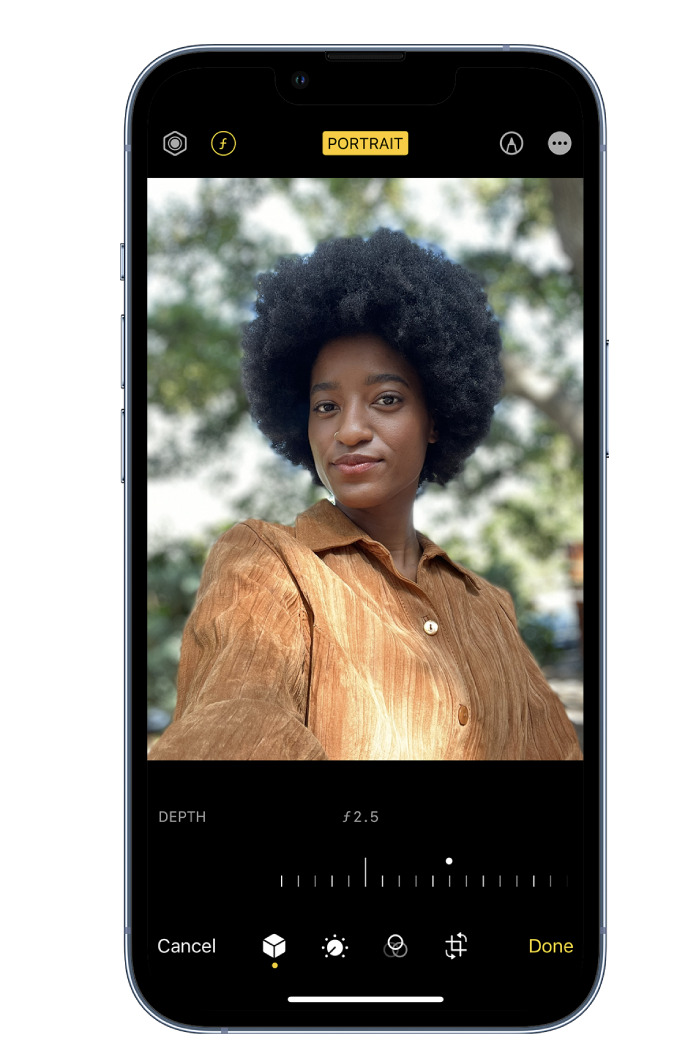
      AppArt School – How to Edit Portrait Lighting Effects in Portrait mode photos On models that support Portrait Lighting, you can apply, change, or remove the Portrait Lighting effects in Portrait mode photos. Tap any photo taken in Portrait mode to view it in full screen. Tap Edit, touch below the photo, then drag to choose a lighting effect. Natural Light: The face is in sharp focus against a blurred background. Studio Light: The face is brightly lit, and the photo has an overall clean look. Contour Light: The face has dramatic shadows with highlights and lowlights. Stage Light: The face is spotlit against a deep black background. Stage Light…

      read more
      Joanne Carter

      You May Also Like

      video

      Capture steadier video with Action mode

      2023-02-08
      lightroom

      Master Lightroom Mobile from Beginner to Pro (2025)

      2025-12-03
      procreate

      Procreate Brush Studio: Shape

      2025-09-02
    • AppArt
      App Art School,  APPart,  Creative Tutorials,  News,  Technical Tutorials

      AppArt School – How to Blur the Background with Portraiture Photography

      2023-06-12 / Comments Off on AppArt School – How to Blur the Background with Portraiture Photography

      AppArt School – How to Blur the Background with Portraiture Photography To blur the background in iPhone portrait images, you can follow these steps: Open the Photos app on your iPhone and select the portrait image you want to edit. Tap “Edit” at the top right corner of the screen. This will open the editing interface. At the bottom of the screen, you’ll see various editing tools. Swipe left on the options until you reach “Depth.” Tap on it to access the depth editing controls. The depth editing controls allow you to adjust the amount of background blur. You’ll see a slider labeled “Aperture” or “Depth.” Slide it to the…

      read more
      Joanne Carter

      You May Also Like

      procreate

      How to use Blur Filters in Procreate

      2025-09-23
      procreate

      Drawing Manga in Procreate | Acky Bright | Human Made

      2025-07-02
      Google

      App Art School – How to use Google Photos in 2020

      2020-09-17
    • RAW
      App Art School,  APPart,  Creative Tutorials,  News,  Technical Tutorials

      AppArt School – How to Shoot in RAW with an iPhone

      2023-06-09 / Comments Off on AppArt School – How to Shoot in RAW with an iPhone

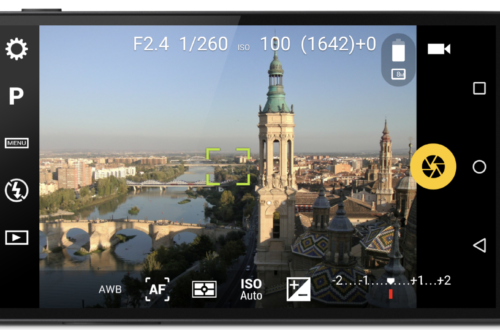
      AppArt School -AppArt School – How to Shoot in RAW with an iPhone Shooting in RAW format on an iPhone allows you to capture more image data and provides greater flexibility in post-processing. However, please note that not all iPhone models support RAW capture. Here’s how you can shoot in RAW if your iPhone model supports it: Open the iPhone camera app: Launch the default camera app on your iPhone. Access the camera settings: Look for the “Settings” icon within the camera app. It is usually represented by a gear or slider icon. Tap on it to access the camera settings. Enable RAW capture: In the camera settings, search for…

      read more
      Joanne Carter

      You May Also Like

      procreate

      How to use Blur Filters in Procreate

      2025-09-23
      moment Pro II

      Moment Pro Camera II Tutorial — Best Settings for Cinematic Pro Video on iPhone

      2025-12-10
      procreate

      How to edit Text & Typography in Procreate

      2025-09-17
    • art
      App Art School,  APPart,  Creative Tutorials,  News,  Technical Tutorials

      AppArt School – How to Shoot Professional Monochrome Images with an iPhone

      2023-06-07 / 1 Comment

      AppArt School -How to Shoot Professional Monochrome Images with an iPhone Shooting professional monochrome (black and white) images with an iPhone can be a creative and rewarding process. Here are some tips to help you capture compelling monochrome photographs: Shoot in black and white mode: The iPhone camera app offers a built-in black-and-white mode. To access it, open the camera app, swipe left to the “Mono” mode, and start shooting. This mode allows you to see your subject in black and white as you compose the shot, helping you visualize the final result. Focus on contrast and texture: Monochrome images rely heavily on contrast and texture to create visual impact.…

      read more
      Joanne Carter

      You May Also Like

      Affinity

      App Art School – Applying Blender Filmic Looks with Affinity Photo

      2020-08-17
      appart

      AppArt School – How to Edit Live Photos on iPhone

      2023-08-07
      Lightroom

      How I Did It!™; The Creative Power of Lightroom Mobile; Edit with Intention. Create with Vision. All from Your Mobile Device! – Thursday, August 14, 6:30 PM EST

      2025-08-07
    • apps
      News,  What Apps Are We Using This Month?

      What Apps Are We Using This Month? with Robyn Barron

      2023-06-07 / Comments Off on What Apps Are We Using This Month? with Robyn Barron

      Welcome to TheAppWhisperer’s new section, “What apps are we using this month” series, where we discover which apps you are particularly enjoying. Kicking us off today is non-other than notable Mobile Artist Robyn Barron @leafandflowerimages. Thanks so much, Joanne for the opportunity to participate in your wonderful ‘what apps’ theme. My name is Robyn Barron and I live in the small coastal town of Alstonville in Northern NSW. I am 65 years old and still working as a garden consultant and a botanical photographer. My flow of work always starts with Hipstamatic usually with Jane lens and Sussex film, altering the intensity with the range of tools available. This gives me a…

      read more
      Joanne Carter

      You May Also Like

      Mobile Photography/Art Pic of the Day (547) via Instagram TheAppWhisperer

      2017-03-03
      mobile portrait

      Greatest Mobile Art Pic of the Day (2,390)

      2025-07-29
      Apple Watch

      Apple introduces Apple Watch SE 3

      2025-09-10
    • apps
      News,  What Apps Are We Using This Month?

      What Apps Are We Using This Month? with Michèle Polak – @debergenseboekenkast

      2023-06-05 / Comments Off on What Apps Are We Using This Month? with Michèle Polak – @debergenseboekenkast

      Welcome to TheAppWhisperer’s new section, “What apps are we using this month” series, where we discover which apps you are particularly enjoying. Kicking us off today is non-other than notable Mobile Artist Michèle Polak – @debergenseboekenkast My app and the only app I use until now is: SNAPSEED which is my absolute favourite, many possibilities for me, this is enough. I do love to work with multi-exposure, I can’t really explain what I do, but the blues in my photos are not true to life. It’s a very friendly app, easy to work with. I worked as an analogue photographer! I made the digital switch and exploring took some time and…

      read more
      Joanne Carter

      You May Also Like

      mobile photography

      Mobile Photography/Art Pic of the Day (1,054) via Instagram

      2019-06-20

      Mobile Photography & Art – Portrait of an Artist – Celebration of the Year 2018

      2018-12-18
      mobile

      Greatest Mobile Art Pic of the Day (2,211)

      2024-09-11
    • apps
      News,  What Apps Are We Using This Month?

      What Apps Are We Using This Month? with Diane Monheit

      2023-05-30 / 1 Comment

      Welcome to TheAppWhisperer’s new section, “What apps are we using this month” series, where we discover which apps you are particularly enjoying. Kicking us off today is non-other than notable Mobile Artist Diane Monheit. At the invitation of Joanne Carter I would like to share some of my favorite apps I use to create my art. Living near Sacramento in Northern California I am Diane Monheit, a retired hospital librarian (8 years!). I enjoy not only doing photography using my iPhone 13 Pro but also creating art on my iPad Pro. In the past year, I have been honing my skills while using Procreate, a very powerful app and so much…

      read more
      Joanne Carter

      You May Also Like

      photography

      Mobile Photography Tutorial – The Value of Layers, featuring Leonardo – Photo Editor

      2015-09-29

      British Journal of Photography – International Photography Award 2018 Shortlist Revealed

      2018-03-06

      Mobile Photography – Selfissimo – Brand New Self Portraiture App from Google for iOS

      2017-12-21
    • apps
      News,  What Apps Are We Using This Month?

      What Apps Are We Using This Month? with Zarina Ibrahim

      2023-05-26 / 1 Comment

      Welcome to TheAppWhisperer’s new section, “What apps are we using this month” series, where we discover which apps you are particularly enjoying. Kicking us off today is non-other than notable Mobile Artist Zarina Ibrahim. My name is Zarina Ibrahim (aka Ina Ibs @aniraz95 and @ina_loves). I live in a busy township about 20km from the capital city Kuala Lumpur, Malaysia. I am 61 years old. I am married to a wonderful 75-year-old who also enjoys art and travelling like me. I am working as the executive secretary at the Malaysian Institute of Architects in Bangsar, Kuala Lumpur, Malaysia. My work mostly involves administration, writing, managing the office and staff, and coordinating meetings…

      read more
      Joanne Carter

      You May Also Like

      MoMA

      MoMA – Seeing Through Photographs with Dionne Lee and Sarah Meister

      2020-10-21
      art

      Mobile Photography and Art – A Picture’s Worth with Isabella Matthews from Perth, Western Australia

      2025-09-01

      Mobile Photography/Art Pic of the Day (935) via Instagram

      2018-11-21
    • QuickTake
      App Art School,  APPart,  Creative Tutorials,  News,  Technical Tutorials

      AppArt School – How to Record a video with QuickTake

      2023-05-25 / Comments Off on AppArt School – How to Record a video with QuickTake

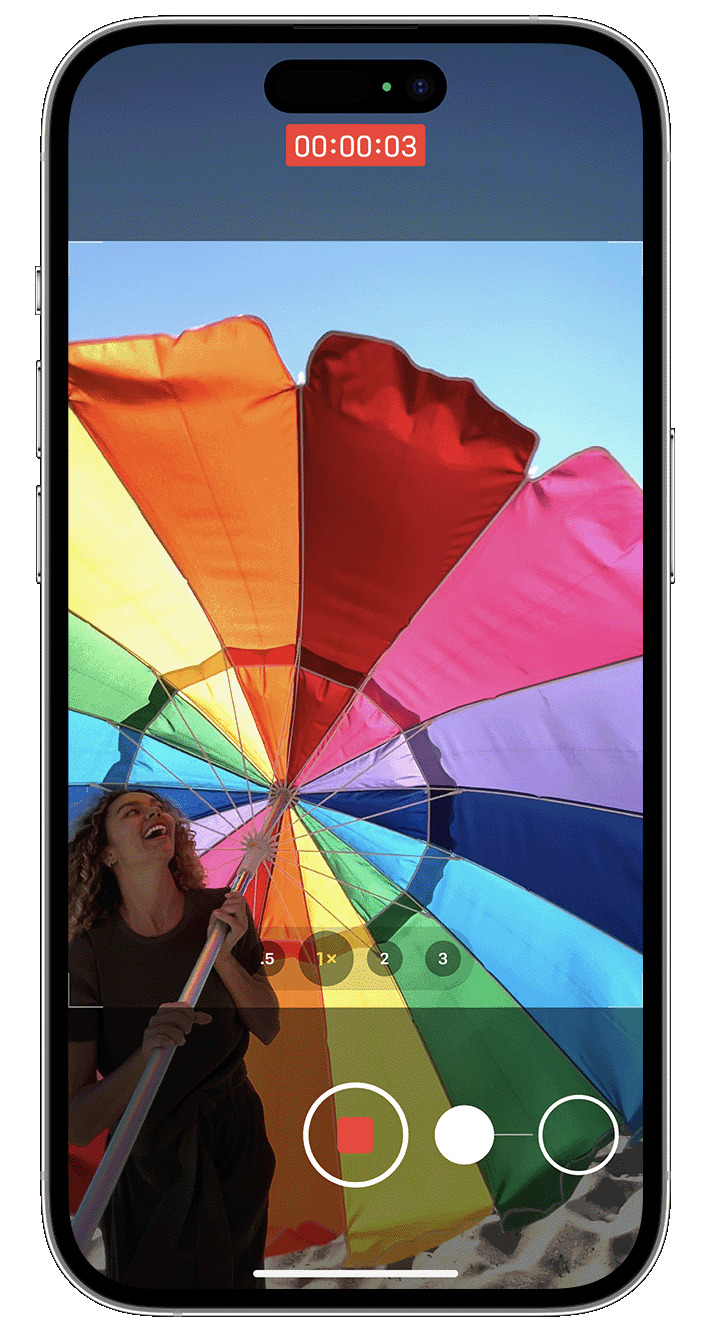
      AppArt School -How to Record a video with QuickTake You can use QuickTake to record videos without having to switch out of photo mode. QuickTake is available on iPhone XS, iPhone XR and later. Hold the shutter to take a video When you open the Camera app, you will see the default photo mode. Tap the Shutter button to take a photo. Then tap the arrow to adjust options, such as flash, Live Photos, timer and more. If you want to capture a QuickTake video, just press and hold the Shutter button .* Release the button to stop recording. With iOS 14 and later, you can hold one of the…

      read more
      Joanne Carter

      You May Also Like

      procreate

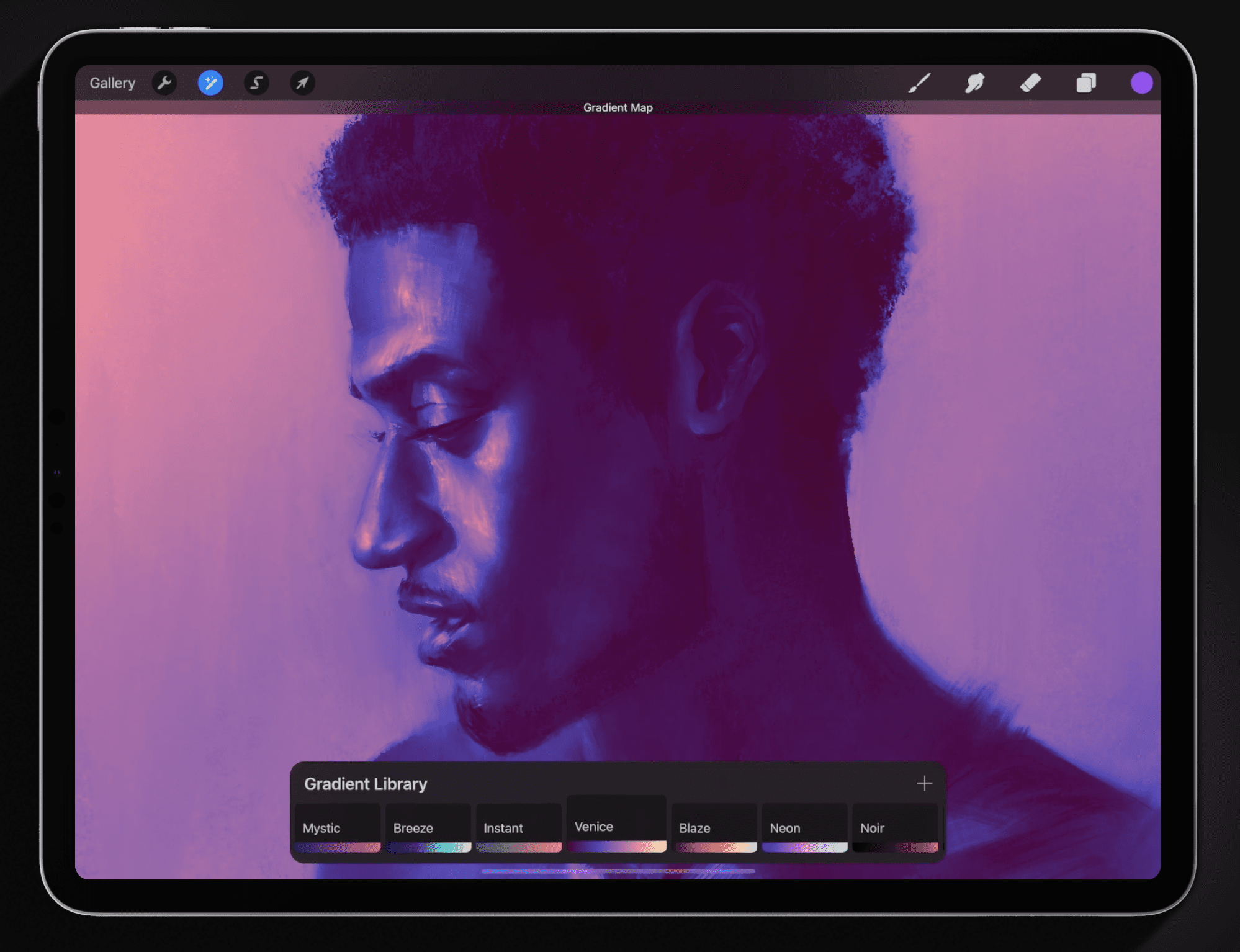
      Procreate – How to use Gradient Maps in Procreate

      2025-08-07
      AppArt

      AppArt School – 10 Good iOS Photo Editing Apps for Beginners

      2023-05-02
      Procreate

      How to explore your work with Gallery Preview in Procreate

      2025-09-29
     Older Posts
    Newer Posts 

    Visit our online Print Gallery

      ©TheAppWhisperer 2026
      • ONLINE GALLERY and PRINT SALES
      • About Us
      • Vogue
      • News
      • COLUMNS
      • INTERVIEWS
      • TUTORIALS
      • FEATURES
      • App Art School
      • SHOWCASES
      • Contact Us
      • Support Us
      • Events
      • Venues
      Ashe Theme by WP Royal.