TUTORIALS
Hipstamatic TinType SnapPak Review
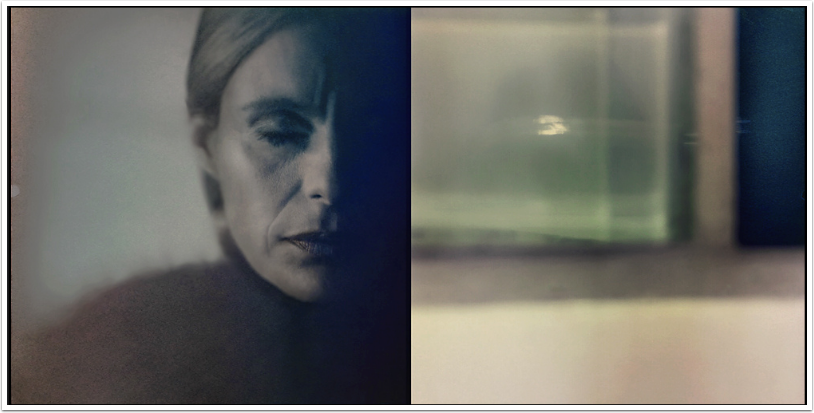
We’ve just published this comprehensive review by Egmont van Dyck on the recently launched TinType SnapPak by Hipstamatic. It’s very extensive and we think you’ll enjoy this a lot, over to you Egmont (foreword by Joanne Carter). “With the release of Hipstamatic’s new Tintype lens and two accompanying film cartridges recently there has been a very positive response throughout the social network system. I myself immediately downloaded the new SnapPak and after just two exposures, felt it was necessary to do an extensive lens/film test, since the results obtained were intriguing. It was Hipstamatic creative director Aravind taking the lead on how to bring the old traditional look of…
Etchings – iPhone Photography App Review
As a postage stamp collector from way back, my eye is always drawn to any artwork that has elaborate etching work. This app, by MindSea Development Inc. allows the user to “…. instantly create beautiful etched illustrations from any photo!” (MindSea.) Recently updated, Etchings doesn’t have much in the way of “bells and whistles” in it’s platform but it does truly deliver etched illustrations…simply and elegantly. It is currently available for $0.99 in the App Store. It also offers an in-app filter set for an additional $0.99. (Compatible with iPhone, iPod Touch, and iPad. Requires iOS 5.0 or later.) Click here to download. I took a look at Etchings just…
You May Also Like
Lightroom Mobile: Unmasking the Magic of the Latest and Greatest Features Webinar with Rad Drew and Jack Davis
How I Did It!™- Creating with Your iPhone; Masking, Composites, & Textures with Rad Drew
Carol Wiebe Joins TheAppWhisperer as New Columnist for ‘Draw the Line – Mobile Art as an Expression’ A Brand New Column
Tutorial – PhotoStation….formerly known as AnyShape – Photo Editor
Last month I sat down to write an article describing the latest up dates on an app that I have given some attention in the past, AnyShape. The developers had updated it and included an in-app camera function and social networking sharing capabilities. Nice, but not really anything to write home about. Then…they came out with an update that allowed for more control on placing the selection points around an image. Now…this was a great enhancement! I had my article about all of this practically in the bag….then…then they came out with yet another update and this one also had a couple enhancements of note! And a name change to…
ProCamera 4.0 Tutorial – A Step-By-Step Guide To Five New App Features!
Yesterday we announced the major update to ProCamera and today we’re delighted to publish a tutorial by our Columnist Misho Baranovic, this tutorial explains the new features of ProCamera 4.0 and explains how to get the most from them. Don’t miss this (foreword by Joanne Carter). “ProCamera 4.0 was just released on the App Store. Amazingly, ProCamera is now four years old, starting out as the first camera replacement app on the App Store. For this tutorial, I wanted to guide you through a few of the new features (there are more than a dozen!) in this release, including new Capture Format controls, dedicated Lightbox and advanced editing tools.…
ProCamera – Major Update
ProCamera is a 5-in-1 app for photography, videography, photo editing, social sharing, and code scanning which is specialized in getting the best image quality out of the camera and providing the most useful tools for iPhoneographers. ProCamera has been setting standards for professional camera replacement apps since the early days of the App Store with its high-end features and intuitive, easy to use design. We have featured ProCamera on theappwhisperer.com many times and have some great tutorials to help you make the most of this app, if you missed those, please go here. We will also be publishing a brand new tutorial today to help you utilise the new features…
iPhone Photography Tutorial – ‘What’s New Pussycats?’ – By Veevs
We’re delighted to publish this great tutorial by Veevs, who has been a long term contributor of theappwhisperer.com and has written some excellent articles for us, if you’ve missed those, please go here and here. We have also published A Day In The LIfe Interview with her here. In this tutorial Veevs had the opportunity to take some images in London last weekend for the Iconic Exhibition near Brick Lane, and I was so pleased to meet with her there too. Links to the apps are within the document in bold text. We’re sure you’ll love this, over to you Veevs (foreword by Joanne Carter). ‘I was very…
iPhone Photography Tutorial – Photo To Painting By Natali Prosvetova
We’re delighted to publish another of Natali Prosvetova’s iPhone photography tutorials. In this one Natali explains how to turn a photograph into a painting. If you have missed any of Natali’s other tutorials and articles, please go here. Links to all the apps used and mentioned can be found at the end of this article. (foreword by Joanne Carter). “I hope you will enjoy this tutorial. It will help you turn your ordinary image into a beautiful painting look in just a few simple steps. (for your experiment)… Step 1 Well, a few days ago I shot this pic, using the Slow Shutter app, lazily lounging on…
Photographer Daniel Berehulak Uses 645 PRO To Capture Stunning Shots of Kabul
The Daily Mail newspaper in the UK, has just published a great story entitled ‘Welcome to Kabul: Panoramic Postcards From The War-Torn City Circled By Mountains (and some of them make you want to vist). In essence, photographer Daniel Berehulak visited this incredibly ravaged city to capture some spectacular panoramic images using only his iPhone and app 645 PRO. The images are stunning, to read the post in full and to see all the images, please do to the dailymail here. If you haven’t tried 645 PRO we would strongly recommend it. It retails for $2.99/£1.99.
Layover Tutorial – Putting It Through Its Paces!
For a long time there were only a couple of apps that everyone seemed to use when they wanted to blend layers. Apps like Iris, Image Blender, and Juxtaposer. Each of these have their strengths and are quite dependable blenders. However, you can only blend two layers at a time when using these which can slow you down if, you’re working with more than two layers while building your image. In my first tutorial on the app, Layover, I gave you a quick overview…just enough to get you started. In this tutorial, I’d like to show you how easy it is to use Layover’s layering and blending tools to create…
AnyShape – Photo Editor – iOS Tutorial – Using The Selection Tool & FX Filters
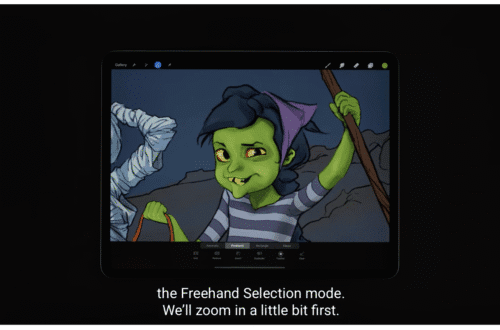
In this tutorial, the third in a series (if you’ve missed the others, go here), I am going to have some fun using Any Shape’s selection tool and its FX filters. I won’t be covering how to use the selection tool in any detail or the FX filters as I’ve already been there in the first two tutorials. So I’ll be moving through some steps pretty quickly. There are five separate “stages” to this project, each will have the same work flow sequence but on a different part of the image. I tell you this now so if you get the sequence down after the first or second “stage”, feel…